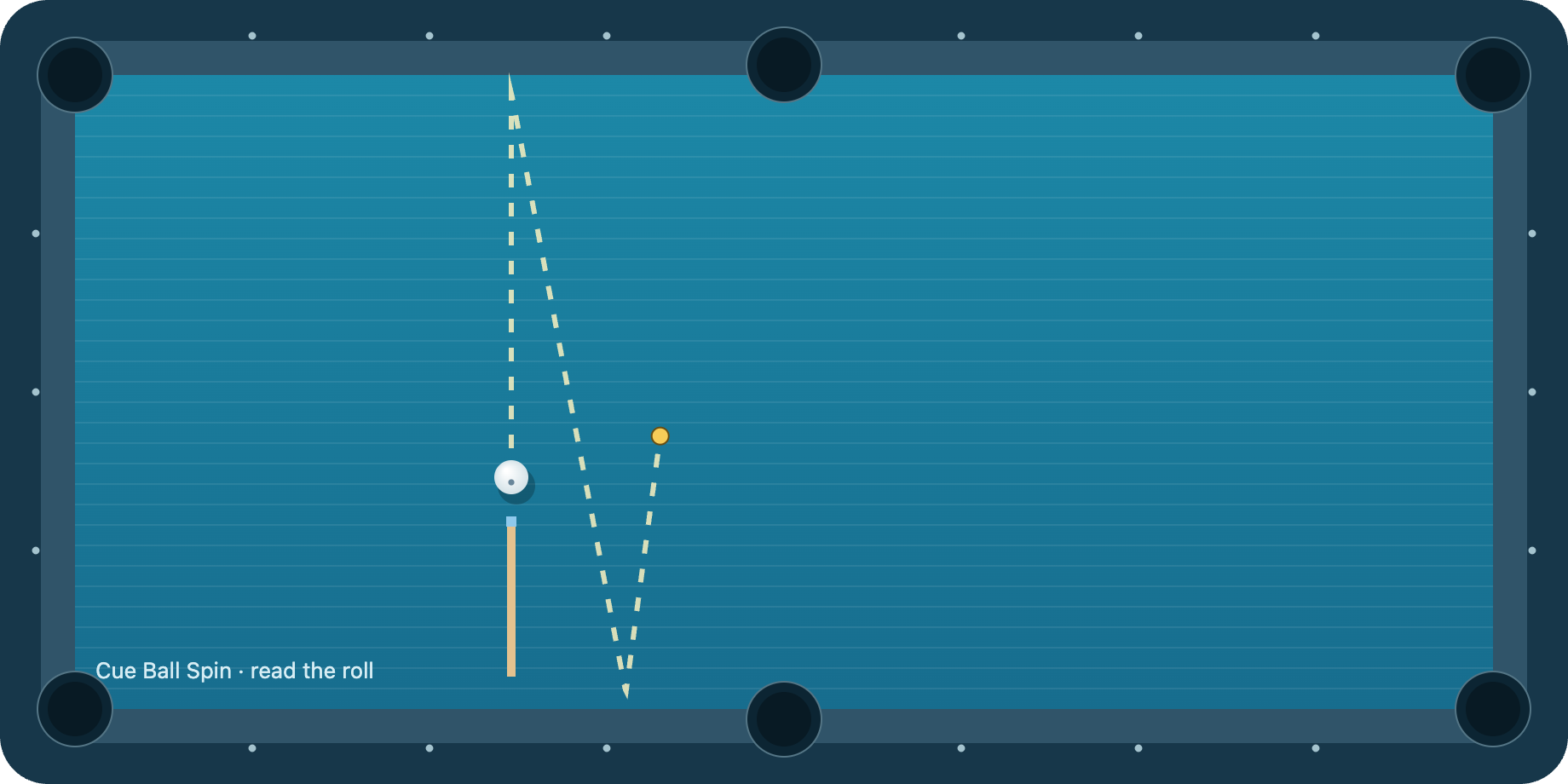
An interactive billiards spin visualizer
Move the cue tip, change the power, and see a predicted route before you take the shot. This billiards spin tool is a place to test an idea without setting up a real table. It works in the browser on a phone or computer. Nothing needs to be installed, and there is no account to create.
The visualizer starts with a cut shot and a cushion. Choose a different layout when you want to isolate an effect: the straight pot makes follow and draw easier to compare, while the cushion-only layout removes the object ball so you can concentrate on left and right english. The aim stays fixed in each layout. This keeps your comparisons about the contact point and power rather than an accidental change of direction.
Two things to change, one thing to watch
First, choose the contact point. Click, tap, or drag anywhere on the white ball. Blue shows your current selection. The diagram is the view from behind the cue, so “right” refers to the shooter’s right, not necessarily the right side of the table on screen. For finer control, open the contact-point controls and adjust the horizontal and vertical offsets.
Then, change the power. The power slider uses the game’s own percentage scale. It is not a measurement in miles per hour or a prescription for a real cue stroke. The dashed prediction updates as you move either control. Change only one setting at a time if you want to see what caused a difference.
Finally, shoot and compare. The animated ball draws its actual simulated route in white. The prediction and animation use the same model, so they should agree. The tool does not pretend that a simulated prediction is a separate real-world measurement. Turn off the predicted path if you would rather make your own estimate before shooting.
A useful first experiment
Select “Cushion only,” keep the power fixed, and compare center, left, and right contact points. Look at the direction after the first cushion, not just the final stopping point. Then select “Straight pot” and compare a high contact point with a low one. You are now separating cushion english from follow and draw instead of treating all spin as the same effect.
The gold dot marks where the model predicts the cue ball will stop. A scratch means the cue ball entered a pocket; try less power or a different contact point. Repeating a shot is free, so use small changes rather than jumping straight between extremes.
What the tool leaves out
This is a simplified 2D model for understanding principles. It includes sliding-to-rolling motion, rolling resistance, equal-ball collisions, and a sidespin contribution at cushions. It does not model cue elevation, squirt, swerve, jump shots, masse, or frictional throw between balls. Different cloth and cushions will behave differently in real life.
For a quick reference, open the billiards spin chart. To test your understanding, try the daily seven-shot challenge. Your experiments stay in the current page session and disappear when you reload.
The table talk
Which rebound surprised you? Share a tip or tell us what to improve.
The table is quiet. Be the first to share what you noticed.